GENESISCODE DOCTOR AI
Understand → Approach → VerifyREAL PRODUCT
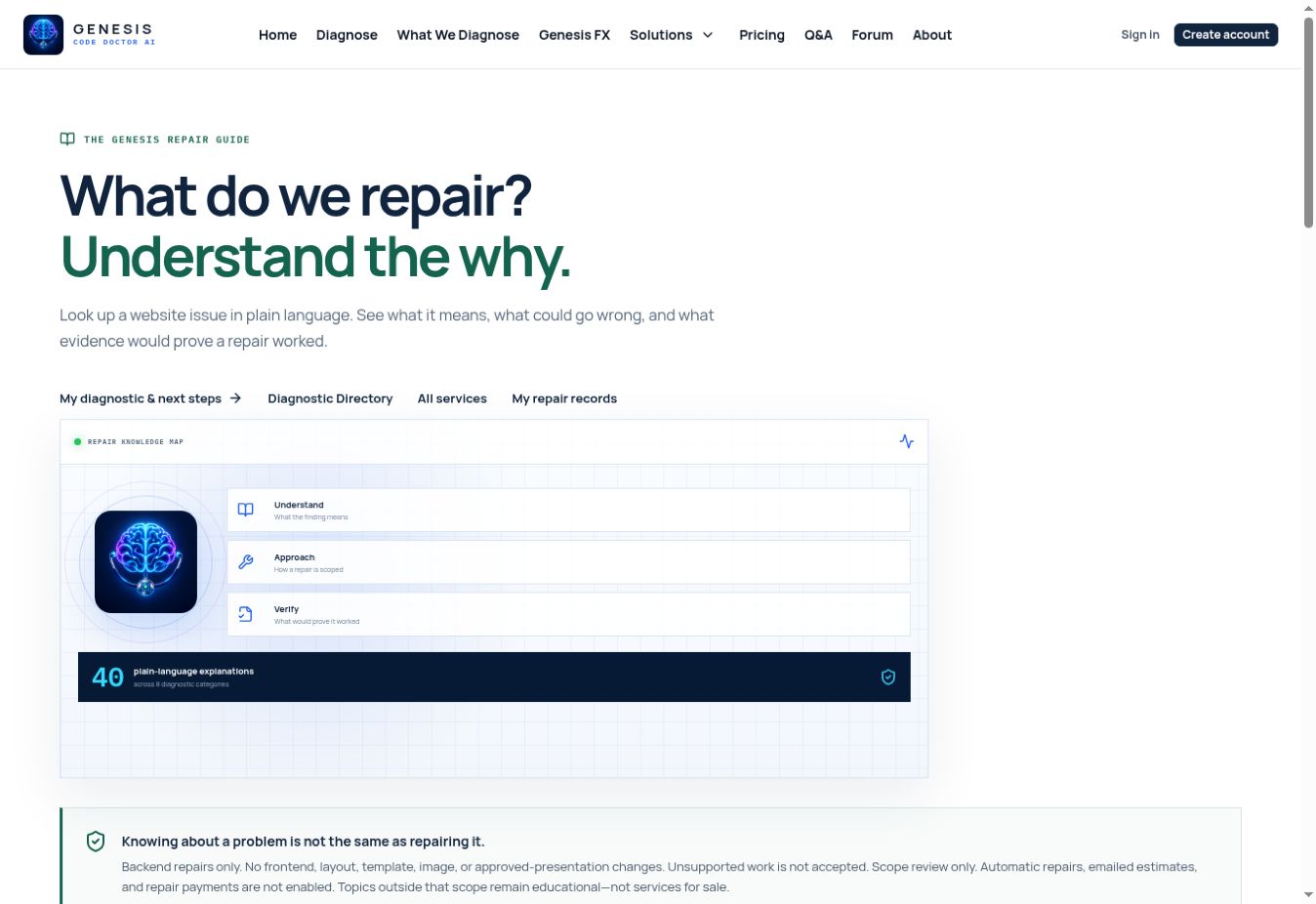
Website Repair Guide app interface
GENESIS PRODUCT VIEWWebsite Repair Guide
40plain-language explanations
WHYbusiness and user impact
PROOFverification criteria

Each entry translates a common website issue into plain language, a responsible repair approach, and the evidence needed to verify the outcome. This is the real published Genesis interface—not a stock image.

FREE REFERENCE

Genesis Code Store · GCD-GUIDE-007

Website Repair Guide

Understand the issue, the repair approach, and the proof required.

Search plain-English explanations of common website issues, why they matter, what Genesis observes, and what would verify a repair.

AVAILABLE NOWFree

Online tool No checkout required

What it helps you do

  • Plain-English explanations of common website issues
  • Why each issue matters
  • Evidence needed to verify that a repair worked
GUIDANCE — NO AUTOMATIC CHANGEThe guide tells you what proof to demand.
RepairsVerification
Open the repair guide Free Genesis tool. No payment information required.
PRODUCT DETAILS

What this specific product actually does

Every Genesis listing has its own capabilities, workflow, automation status, limits, and proof standard—without generic promises copied from another product.

CAPABILITIES

Inside Website Repair Guide

  • 01Explains common diagnostic findings without requiring developer vocabulary.
  • 02Describes why an issue may matter to users, discovery, performance, or reliability.
  • 03Outlines a responsible repair approach without claiming a patch was already applied.
  • 04Names the evidence that should exist before a repair is considered verified.
  • 05Keeps cautions and false-positive boundaries attached to the relevant issue.
  • 06Links educational guidance to real Genesis diagnostic and repair-review paths where available.
GUIDANCE — NO AUTOMATIC CHANGE

The guide tells you what proof to demand.

This reference does not run code or change a site. Verification happens through a real test or diagnostic after implementation.

Plain-English guidanceProof criteria includedNo code execution
AUTOMATIC REPAIRNot enabled

This product does not modify a customer website.

PRODUCT FIT

Who this is built for

  • 01Nontechnical owners translating a finding into an understandable next step
  • 02Builders preparing an implementation or handoff plan
  • 03Customers checking what evidence should exist before accepting a repair
DELIVERY

How you receive it

Listing Code

GCD-GUIDE-007

Format

Searchable reference

Compatibility

All Platforms

Cost

Free

This listing is a free online tool, not a downloadable code package. It opens on Genesis Code Doctor after this product overview.

HOW TO USE IT

Three steps for this product

  1. 01

    Search the symptom

    Use a plain-language issue, finding, or repair term.

  2. 02

    Understand the approach

    Review why it matters, what Genesis observes, and what a responsible repair involves.

  3. 03

    Verify separately

    Use the stated evidence criteria and a new diagnostic result before calling the work complete.

IMPORTANT BOUNDARY

What this item does not claim

An explanation or proposed approach is not evidence that a repair was applied or completed.

DOWNLOADABLE CODE POLICY

Simple delivery when verified code is released

Free code uses Free Download. Paid code uses Add to Cart. Every released package includes a verified ZIP and START-HERE directions.

CONTINUE EXPLORING

Every suggestion below is another real, published Genesis tool or reference.

START HERE

Full Website Diagnostic

See the public evidence before you decide what to repair.

View product

FREE REFERENCE

Diagnostic Directory

Know exactly what Genesis can check before relying on a result.

View product
FREE PLANNING TOOL

Build-an-Idea Blueprint

Turn a rough idea into requirements another builder can review.

View product